Drawing to 3D
Your drawing and its 3D model side by side, so every view can be checked before the part is quoted.
Open the example drawingNo account needed · examples are not saved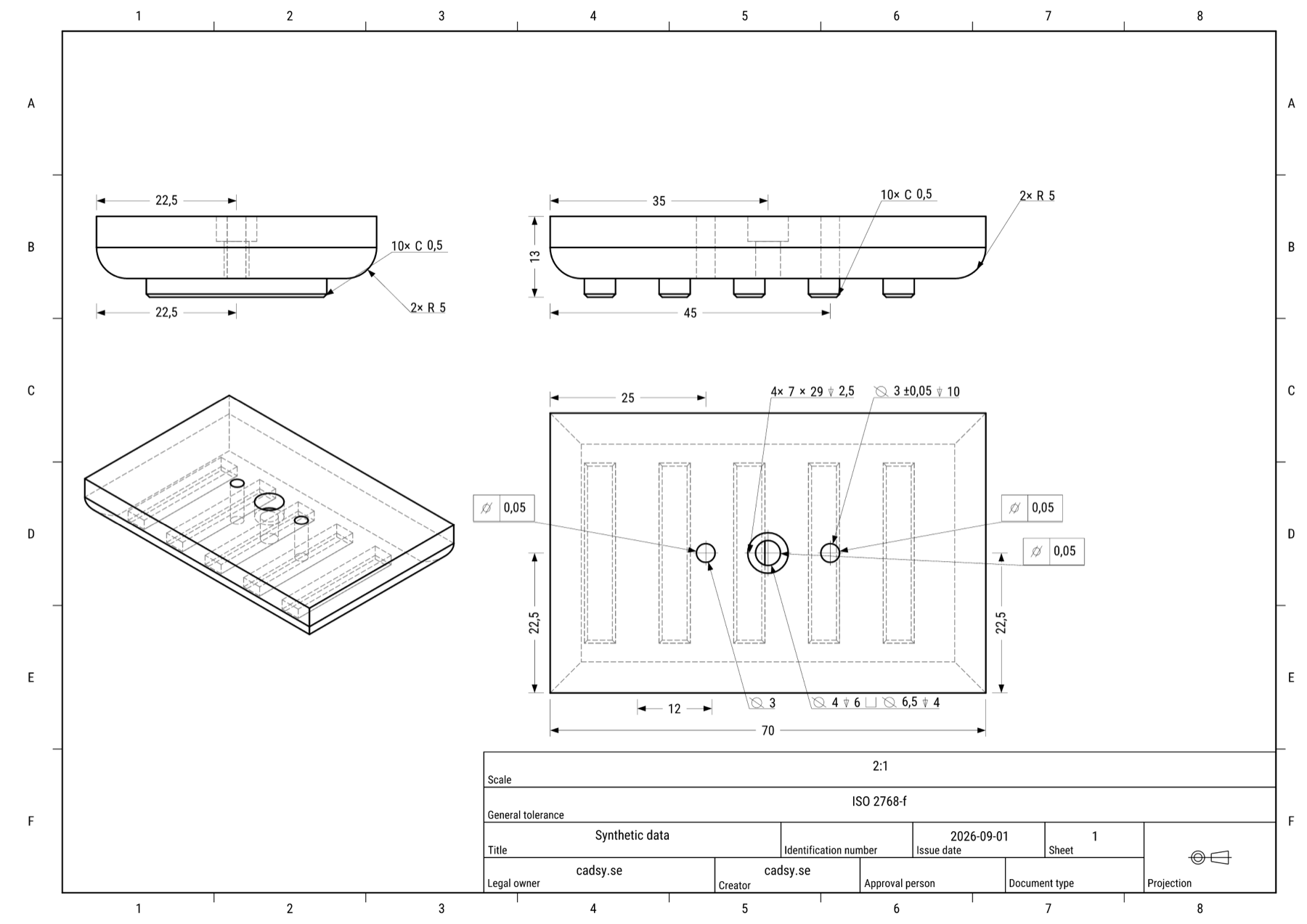
Loading the example…
 Manufacturing tools
Bring AI into your day-to-day manufacturing work. Turn drawings into 3D models, build clearer quotes and explore CNC strategies.
Follow the recessed floor, curved walls and nested pocket as one region.
Curated surface group · recognition not yet validatedThese are the examples each tool opens with. The quote, its prices, the setups and the run report are worked out on this page by the tools' own code. Open one and change it.
Your drawing and its 3D model side by side, so every view can be checked before the part is quoted.
Open the example drawingNo account needed · examples are not savedLoading the example…
An STL becomes features you can change: the base, its pockets and its holes with their standard sizes. The rebuilt model is checked against the STL before you download its STEP.
Open the example STLNo account needed · examples are not savedLoading the example…
A quote your customer can read: price per part, price by quantity, material and terms. Your costs and margin stay out of it. Choose a quantity to update it.
Open the example partNo account needed · examples are not savedLoading the example…
The same part planned for three kinds of machine. The planner counts the setups each one needs, suggests the fewest and says what is left to review.
Plan the example partNo account needed · examples are not savedLoading the example…
A camera checks each step of an assembly as it is done. In this run it caught a bolt fitted without its washer. The report keeps what was seen, and when.
Open SOPsSign in to use itLoading the example…
Inspect the geometry. Question the assumptions. Refine the result.
Tools that put your expertise at the centre of every decision.
Early preview · Review generated models, estimates and machining proposals before manufacturing.
Choose a file. You can add more context along the way.